Can You See Her Cycle in Apple Health? A Partner’s Guide
You already have the app. It came with the phone. So before you go shopping for a period tracker, the fair question is whether Apple Health cycle tracking already does the job, and whether any of it can reach your screen instead of only hers.
The short answer: the tracking part is solid and free, the sharing part genuinely exists, and what actually lands on your phone is narrower than most people assume. Below is the version with the parts Apple leaves out of the marketing copy.
What Apple Health cycle tracking actually does
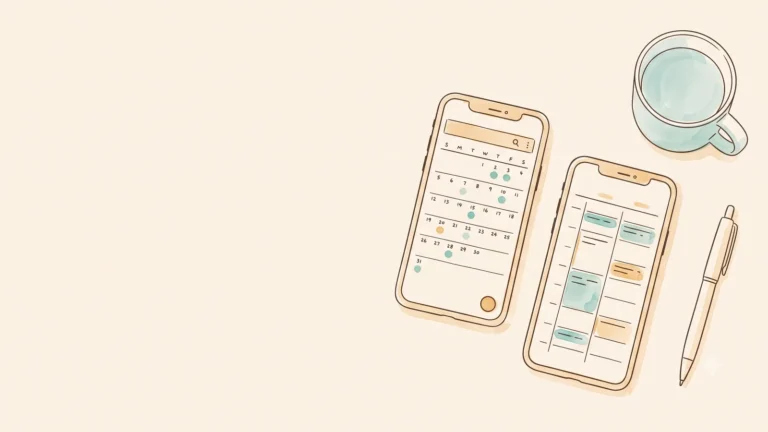
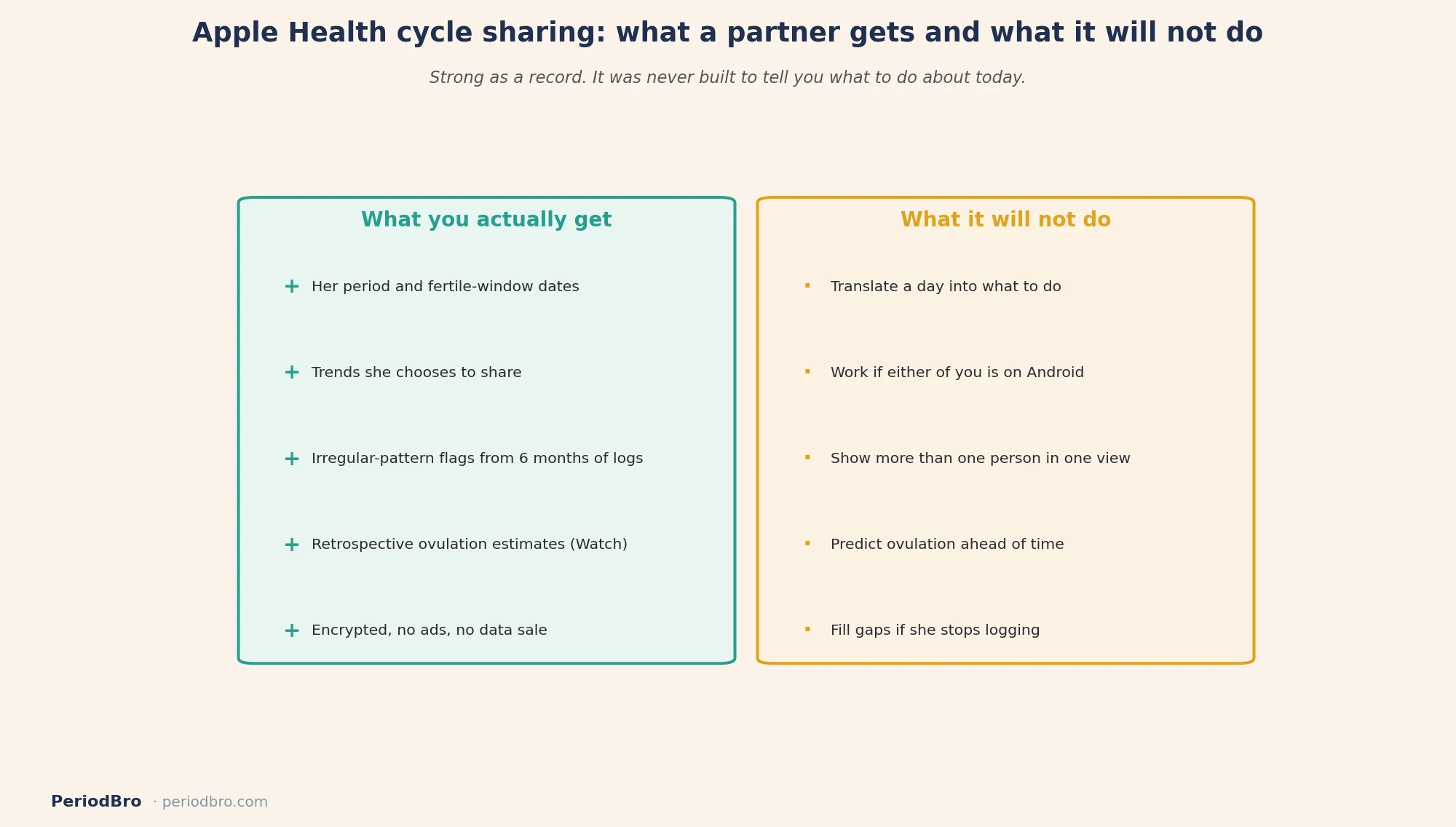
Cycle Tracking is built into the Health app on iPhone and the Cycle Tracking app on Apple Watch. She logs periods, flow, and symptoms, and the app estimates when her next period and fertile window are about to start, then notifies her, per Apple’s own documentation.
It also does something most free trackers do not. Apple says Cycle Tracking can flag when six months of logged history shows a pattern of irregular periods, infrequent periods, prolonged periods, or persistent spotting, because those patterns can point at an underlying health condition. That is a real health feature, not a calendar trick.
If she wears an Apple Watch to sleep, there is a second layer. Series 8 and later, plus all Ultra models, track nightly wrist temperature and use it to sharpen period predictions and produce retrospective ovulation estimates. Apple notes those estimates need about two menstrual cycles of overnight wear before they appear, and shows the estimate as a marker inside the fertile window in the Health app.
The word “retrospective” is doing a lot of work there. It tells her when she probably ovulated, after the fact, which makes it a good record and a weak forecast. That lines up with what the research says about app predictions generally, covered in our piece on whether period tracker apps actually work.
Can she share it with you?
Yes, and this surprises people. Apple added Health Sharing in 2021 with a dedicated Sharing tab, letting someone share health data with a trusted partner or caregiver. Apple’s own announcement explicitly named the case: a partner who chooses to share their fertility window insights.
The mechanics matter more than the headline. She starts it from her Health app, picks you out of her contacts, and chooses which topics to share. You get an invitation. From then on, the shared data shows up in your Health app under Sharing. Apple’s setup guide walks through it in a couple of minutes.
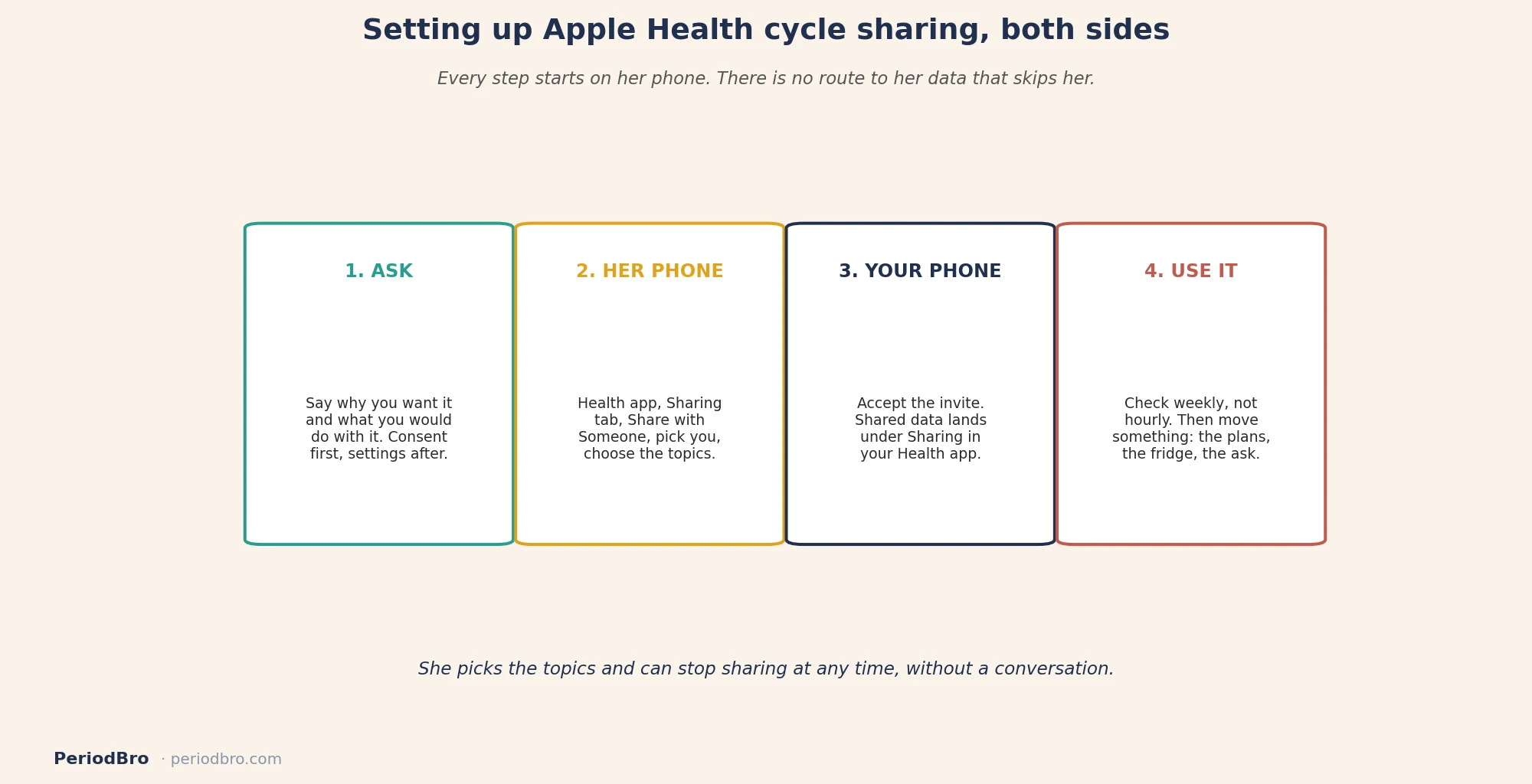
Two details in that flow matter. She picks the topics, and sharing runs one direction unless you each set it up separately. She can also stop at any time without a conversation, which is how it should work.
The privacy question, answered properly
This is the reason a lot of partners land on Apple in the first place. Apple states that health data is encrypted in transit and encrypted at rest on a locked device, and that Apple does not have access to the information when a user chooses to share it. Compared with the third-party tracker market, that is a strong position, and it is a different posture from the one we mapped in our look at whether period tracker apps are safe.
None of that solves the consent question, though, and consent is the one that actually matters in a relationship. Encryption protects her data from strangers, but it says nothing about whether she wanted you looking, and that gets settled in conversation rather than in settings. We made the full case in tracking her cycle with consent.

Where it falls short for a partner
I built a product in this space, so discount what follows accordingly.
Apple Health is a health record. It is superb at storing and displaying what happened. It was never designed to tell a partner what to do about it. You get dates and trends. You do not get “she is on day 23, expect a short fuse, keep the evening light.” Nothing in the Health app translates a data point into a behavior, because that is not what a health record is for.
There are practical limits too. Both of you need iPhones, since this is an Apple-to-Apple feature with no Android or web side. The temperature-based ovulation estimate needs a recent Apple Watch worn to sleep, which is a real cost if she does not already own one. Everything downstream depends on her logging consistently, so a month of skipped entries means a month of soft predictions. And the fertility framing runs through the whole feature set, which is great if you are trying to conceive and beside the point if you are trying to understand a rough week.
The multi-profile gap is the other one. If you are a dad tracking a teenage daughter’s cycle alongside a partner’s, Health Sharing handles each person as a separate thread with no shared view, which is the same wall we hit with Clue Connect. That gap is the reason PeriodBro exists, and you should weigh that claim knowing who is making it.
Who it fits, and who should look elsewhere
Apple Health is a good fit if you both already live in the Apple ecosystem, privacy is your first concern, she is comfortable sharing, and what you want is the calendar context rather than coaching. It is free, it is already installed, and it is not selling her data to anyone. That is a genuinely strong starting point.
Look elsewhere if either of you is on Android, if she does not want to run her cycle through a general health app, if you need more than one person’s cycle in one view, or if what you actually need is a nudge that says what today means and what to do about it. Our rundown of period tracker apps for partners covers the alternatives without pretending there is one right answer.
One more thing worth saying, because it gets skipped. A period app is not contraception, and a retrospective ovulation estimate is not a fertility plan. If either of those is the actual goal, that is a doctor conversation.
How to set it up, both sides
Ask first. Not “can I see your cycle data,” but why you want it and what you would do with it. If the honest answer is that you want to stop being caught off guard, say that. It lands better than you expect. We laid out the whole framing in should you track your partner’s cycle.
Her side. Health app, Sharing tab, Share with Someone, pick you from contacts, choose the topics, send. She controls the topic list and can revoke it whenever she wants.
Your side. Accept the invitation. Shared data lands in your Health app under Sharing. Check it once a week, not six times a day. What you are after is context, not surveillance.
Then do something with it. Knowing she is heading into a heavy stretch only counts if the calendar gets lighter, the fridge gets stocked, or you stop scheduling the difficult conversation for that Thursday. If the mapping is not obvious yet, start with the cycle explained simply.
Common questions
Is Apple Health cycle tracking free?
Yes. It is part of the Health app on iPhone with no subscription. The wrist-temperature features need a compatible Apple Watch, which is the only real cost involved.
Can I see her cycle without her setting it up?
No, and that is by design. Sharing starts on her phone, with her choosing the topics. There is no route to her data that does not run through her consent.
Does Apple see her cycle data?
Apple states that health data is encrypted in transit and at rest on a locked device, and that it does not have access to the information a user chooses to share.
How accurate are the ovulation estimates?
They are retrospective, meaning they tell her when ovulation likely happened rather than predicting it. Apple says they need roughly two cycles of overnight Apple Watch wear before they show up.
Is it better than a dedicated partner app?
For privacy and price, it is hard to beat. For turning cycle data into something you act on, a dedicated app does more. Which one wins depends on whether you want a record or a prompt.
Product features and availability change. Confirm current behavior in the Health app before relying on any of it. This article is general information, not medical advice, and no cycle app is a method of contraception.